
Disclosure: We research and test the best streaming options for viewers in Canada. If you purchase through our links, we may earn a commission at no extra cost to you.
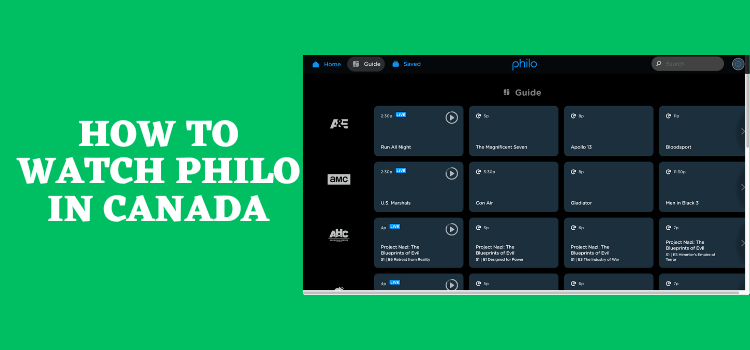
Philo is a premium streaming service that offers both on-demand and live TV content. Known for its affordable pricing and extensive channel lineup, Philo features over 70 channels.
With a unique mix of entertainment, lifestyle, and educational content, Philo provides access to popular networks like Lifetime, Comedy Central, OWN, and TLC.
The package also includes unlimited DVR storage, allowing users to record and watch their favourite shows whenever they choose.
However, Philo is only available in the US, so you’ll need to use a VPN and connect to a US server.
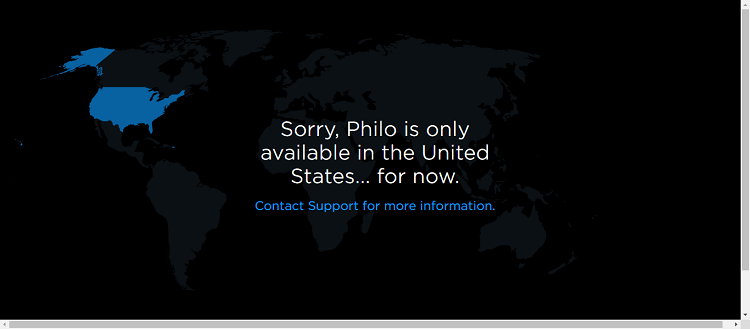
When I tried to access Philo from Canada without a VPN, this error message popped up:
“Sorry, Philo is only available in the United States… for now.”
I managed to unblock Philo using Surfshark, a fast, reliable VPN with efficient servers worldwide.
Our Recommended VPN - Surfshark

⚠️ Warning! You Are Being Monitored
Yes, It’s True! Without Proper Encryption, your IP Address is Exposed, and your Online Activity is Being Tracked.
This can lead to:
- Failed Access to international streaming platforms.
- Exposure of your Personal data to hackers, ISPs, and even Canadian authorities
But There’s a Solution - ‘Surfshark VPN’
Save 87% + Get 3 Extra Months FREE with SurfShark VPN [Limited Time Offer]
This Includes:
✅ VPN for just CA$0.09/day!
✅ Access to unlimited geo-blocked content with 100+ server locations.
✅ Industry Standard Encryption (256-Encryption)
✅ Kill Switch Feature.
✅ Data Breach Alerts.
✅ Unlimited Device Connections.
✅ 30-day money-back guarantee.
✅ Verified No Logs Policy.

How to Watch Philo in Canada
Without a VPN service, you won’t be able to watch Philo in Canada due to geo-restrictions. However, you may connect to the US server and change your location using a VPN.
You need to purchase a Philo subscription to access the channels and content available through it—which will be covered later in the guide. Follow the steps below:
Step 1: Sign up with a VPN service. Surfshark is our recommended choice
Step 2: Download and install the Surfshark VPN App on your device.
Step 3: Open the VPN and connect it to a USA server.

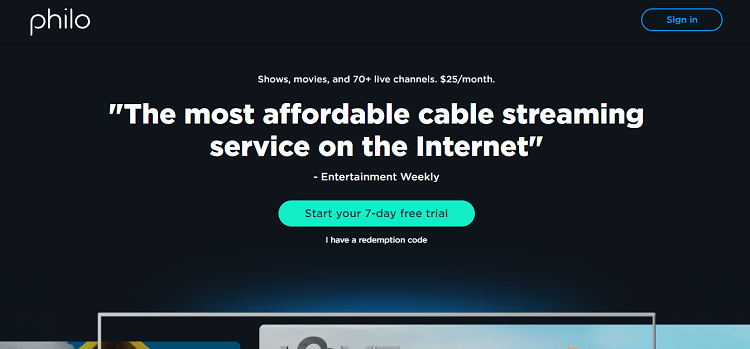
Step 4: Visit the Philo website and click on Start your 7-day free trial
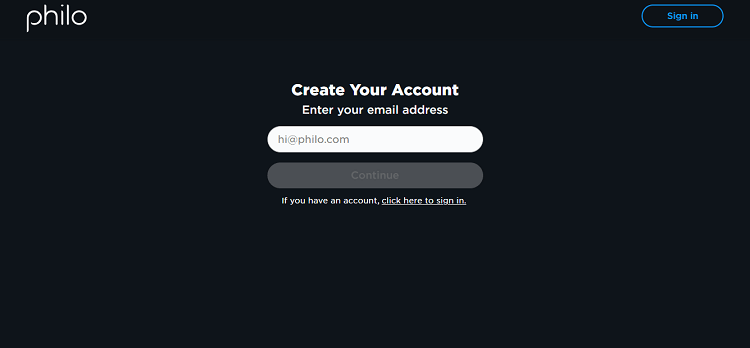
Step 5: Add your email to create an account
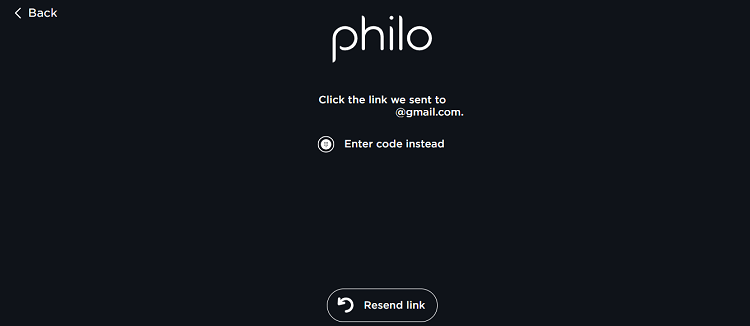
Step 6: Verify the link sent to your email
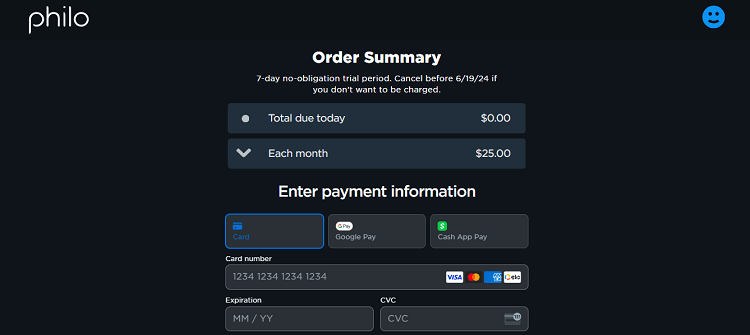
Step 7: Add your credentials and pay.
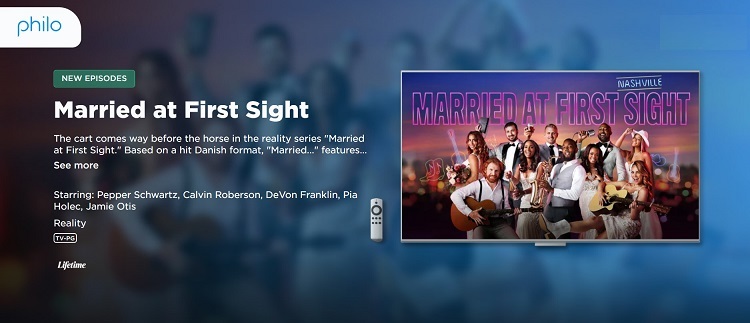
Step 8: You can now avail the free trial of Philo. Select a show to watch.
3 Best VPN Services to Unblock Philo in Canada
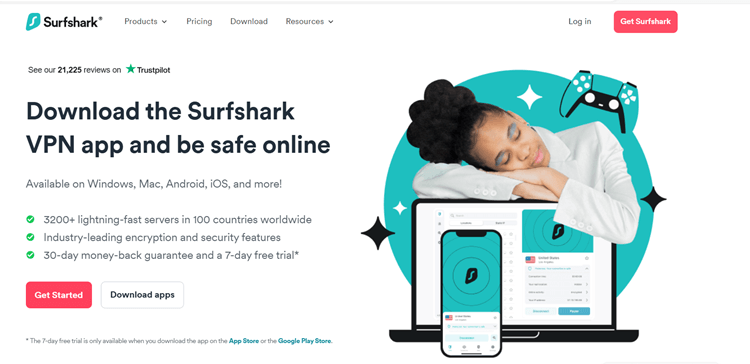
1. Surfshark- Affordable VPN for Watching Philo in Canada
| Features | Details |
| Global Reach | 3200 servers in over 100+ countries |
| Philo Unblocking in Canada | 600 servers in 25 major US cities including Boston, New York, and Buffalo. |
| Exclusive deal | $2.79/month (30-day money-back guarantee) |
| Multi-Device Compatibility | Unlimited devices – Windows, Android, Mac, iOS and more |
| Fast Streaming | Uninterrupted streaming experience with Higher bandwidth per user, and numerous servers. |
| Excellent Privacy | Secure the connection with Camouflage Mode, IPv6 leak protection, AES-256-GCM Encryption, Kill Switch, DNS data protection, and No-Logs Policy. |
Surfshark is the best VPN for unblocking Philo in Canada. Its affordability and advanced features make it one of our top picks.
With Surfshark, you can connect an unlimited number of devices under one account, allowing you to stream your favourite content on multiple screens at the same time.
Moreover, Surfshark provides access to many other geo-restricted channels and services in Canada, including 9Now, 10Play, TVNZ+ etc.
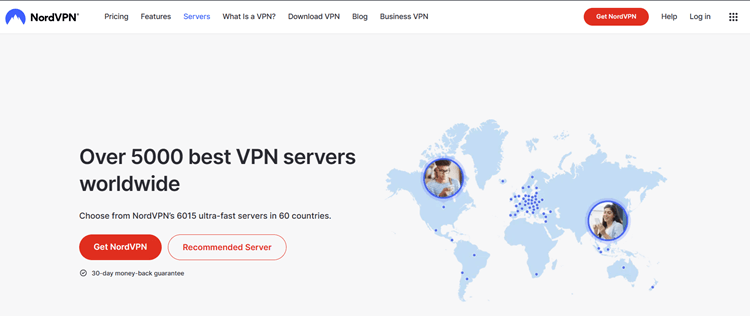
2. NordVPN – Biggest Server Pool to Watch Philo in Canada
| Features | Details |
| Global Reach | 6000+ servers in 60 countries |
| Philo Unblocking in Canada | 16 servers in the US |
| Exclusive deal | $4.69/month (30-day money-back guarantee) |
| Multi-Device Compatibility | Up to 6 devices at once – Windows, iOS, Android, Mac, and more |
| Fast Streaming | Faster streaming with a Wider server range & NordLynx Protocol. |
| Excellent Privacy | Protect your connection with Military-grade encryption, Threat Protection, Double VPN, CyberSec, and No logs policy |
NordVPN is an excellent option for accessing Philo in Canada, renowned for its vast server network and seamless streaming experience.
It provides strong security features like Double VPN, Multi-Factor Authentication, and Split-tunneling, keeping your online identity secure.
In addition to Philo, NordVPN also unlocks access to several other geo-restricted channels and services in Canada, such as Max, Pluto TV, Netflix US etc.
3. ExpressVPN – Another VPN for Unblocking Philo in Canada
| Features | Details |
| Global Reach | 3200 servers in over 100+ countries |
| Philo Unblocking in Canada | Servers all over the US including New York, Chicago, Los Angeles, Seattle, Atlanta, Dallas, Miami, and more. |
| Exclusive deal | $4.99/month (30-day money-back guarantee) |
| Multi-Device Compatibility | Log in to 5 different devices simultaneously – Windows, Android, iOS, Mac, and more |
| Enhanced Streaming | Fast streaming with Smart DNS/IPv6 leak protection, Split Tunneling, and Lightway Protocol. |
| Top-notch Privacy | Digital privacy with 256-bit Encryption, Kill Switch, and No Log policy. |

With these fast speeds, I could instantly access Philo and enjoy smooth streaming. It also ensures top-tier security with AES-256-bit encryption and a kill-switch feature.
Beyond Philo: ExpressVPN unlocks access to numerous geo-restricted channels and services in Canada, including USA Network, Frndly TV, Prende TV, Paramount Network, etc.
Why Do You Need a VPN to Access Philo in Canada?
Philo Prices and Packages
A monthly Philo subscription costs $28/month and comes with a 7-day free trial and unlimited 1-year DVR.
It is one of the most economical streaming platforms compared to the others in the US. You can also get add-ons in your Philo subscription.
Here is a breakdown of what it will cost:
| Add-On Packages | Charges | Channels included |
| Movies & More | $3 | FMC, Reelz, HDNet Movies, and Sony Movies. |
| MGM+ | $7 | EPIX Hits, EPIX, EPIX2 |
| STARZ | $10 | STARZ Kids, STARZ, STARZ Encore. |
What to Watch on Philo?

Movies
- Wuthering Heights
- Guess Who
- Let the Right One In
- Hensel vs. Gretel
- Sherlock Holmes
- Carrie
- An American Werewolf in London
- Money Ball
- Dawn of the Dead
- Train to Busan
- Chasing Waterfalls
On – Demand Content
Philo currently offers a variety of on-demand content and owns a massive library of TV shows. You can find your favourites and binge-watch them in HD Quality.
Some of the popular shows on Philo that you can watch are:
- Yellowstone
- Catfish
- Happy Valley
- Mayfair Witches
- Heartland
- Midsomer Murders
- Quite on the Set
- The Walking Dead: Daryl Dixon
- Hell’s Kitchen
- Fear the Walking Dead
- NCIS
- Only Murders in the Building
What Channels are Available on Philo?
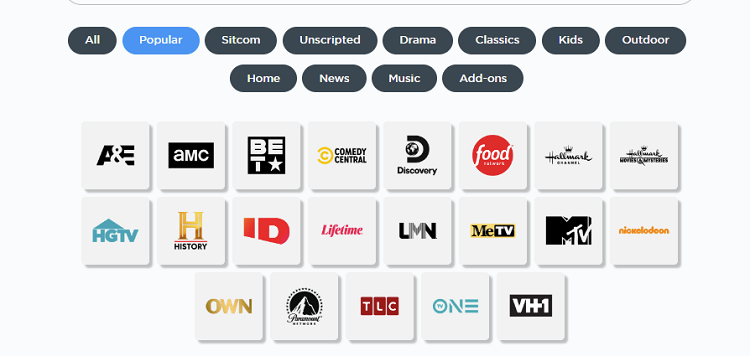
Philo offers access to 70+ TV channels in its paid plan and you can also record live shows and stream them whenever you want.
Here are a few stations that are available on Philo to watch:
- Food Network
- HGTV
- Nickelodeon
- Paramount Network
- Comedy Central
- TLC
- A&E
- Hallmark Channel
- History
- Lifetime
Free Channels on Philo
Philo also offers free live channels on its platform. Following are some of the free channels on the platform.
- 4UV
- AMC Thrillers
- BBC News
- bein Sports Extra
- The Bob Ross Channel
- Cinevault
- Comedy Dynamics etc.
Click here to check the broadcast schedule of the free channels on Philo.
How to Watch Philo TV Outside the US on Mobile
You can find the official Philo TV app in the Google Play store in the US. But if you live in Canada or anywhere else worldwide, you must download the APK file to access Philo TV.
The other way is to use the web browser on a smartphone to stream Philo. Follow the steps to watch Philo in Canada on your smartphones:
Step 1: Subscribe to Surfshark VPN App and connect to the US server.

Step 2: Download the Philo APK
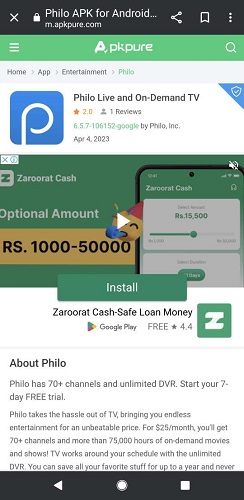
Step 3: Click Install
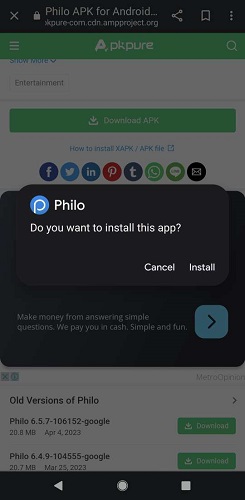
Step 4: Click Open to continue to download
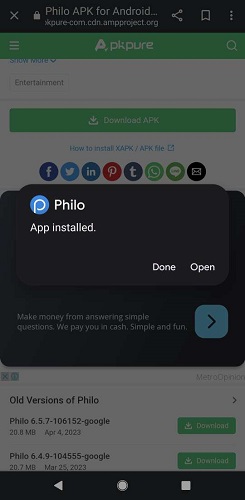
Step 5: Open the Philo App
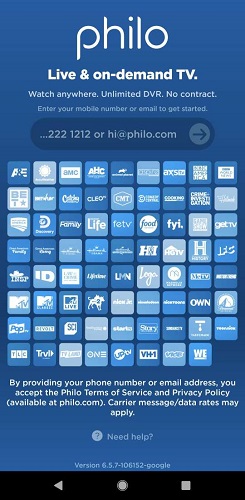
Step 6: Sign in to your Philo account
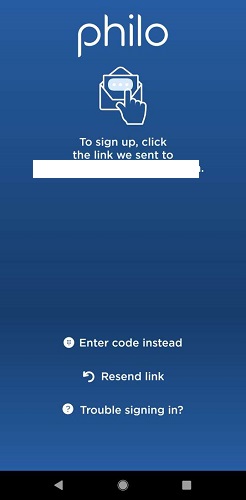
Step 7: Enter the code to continue login
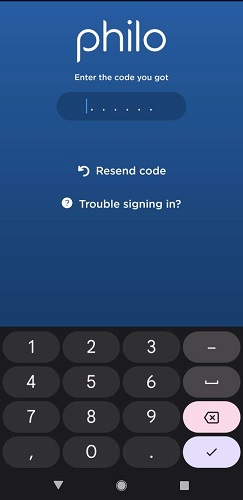
Step 8: Choose your profile
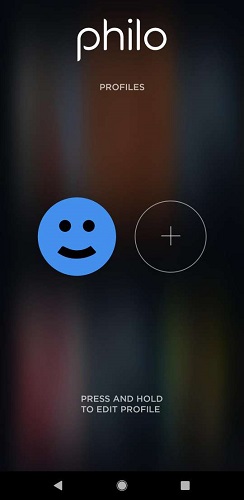
Step 9: Choose something to watch
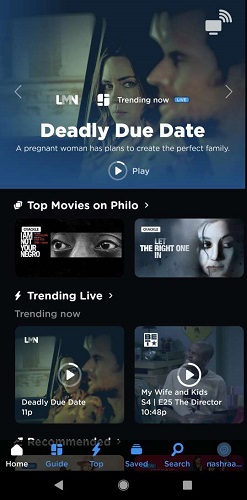
Step 10: Enjoy streaming.
Other Live TV Services to Watch in Canada
Below is a list of Live TV streaming services you can watch in Canada after subscribing to a VPN.
Devices Supported by the Philo TV app
The Philo TV app is supported by most digital streaming devices and models. Here is a list of devices that you can use to stream Philo outside the US:
- Android phone or tablet ( OS 5.0 or higher)
- iPhone or iPad (OS 16.0 or higher)
- Apple TV (OS 16.0 or higher)
- Android TV (5.0 or higher)
- PC/Mac (Google Chrome, Apple Safari, Mozilla Firefox, Microsoft Edge)
- Roku (all current models)
- Fire TV (All models)
- Chromecast (2nd generation or later)
- Samsung TV (2017 models or later)
- Vizio TV (2016 models or later)
- Fire tablet (OS 5.0 or higher)
Troubleshooting Buffering Issues
If you’re encountering buffering, consider the following steps:
Internet Speed: Ensure your internet connection is robust enough for streaming. For detailed recommendations on internet speeds, visit Philo’s Internet Speed Recommendations.
Bandwidth: Free up bandwidth by disconnecting devices not in use, such as gaming consoles.
VPNs or Ad Blockers: Temporarily disable any VPNs or ad blockers and restart your device, which might resolve the buffering issues.
For further guidance, click here.
FAQs – Philo
Is it legal to watch Philo outside the US with a VPN?
Yes, using a VPN is legal in many countries around the world. You can watch Philo outside the US with a VPN.
How many streams can I play simultaneously on Philo?
Your subscription permits playing up to three streams concurrently. Should a fourth device initiate playback, the stream that has been running the longest will be terminated.
What time zone does Philo’s live content adhere to?
Philo operates on East Coast feeds. Except for Samsung TV, the times shown in the Guide are according to the time zone settings of your device.
Does Philo allow parental controls?
Philo does not have any parental controls currently.
How can I cancel an add-on?
To cancel your add-on subscription, go to your Account page online and select Manage Add-ons. You will continue to have access to the add-on content until the end of your current trial or billing period.
How do I know Philo is available in my area?
Philo is available throughout the US, including Puerto Rico, the US Virgin Islands, Guam, and American Samoa.